Improved Symbolic Workflows
Use expand(...), simplify(...), improved factor(...), and stronger polynomial roots(...) and solve(...) support.
SumWise 2.2 for Windows
One application for symbolic math, graphing, statistics, engineering, and scientific computation.
From homework to engineering calculations, SumWise helps you solve symbolic math, explore graphs, analyze data, and work with advanced scientific tools in one focused Windows desktop application.
Designed to be approachable when you are getting started, while still providing the tools experienced users expect.
Windows 10/11 desktop app. Available now on Microsoft Store, with Gumroad as an alternative direct download.
Why SumWise
SumWise brings calculation, graphing, symbolic math, visual calculus, statistics, regression, matrices, vectors, unit conversion, and scientific constants into one desktop workspace for people who work with math.
See SumWise in action
These examples use capabilities available in the current public Windows release.
New in 2.2
SumWise 2.2 focuses on everyday input/output improvements, scoped polynomial workflows, and public-safe visual calculus helpers.
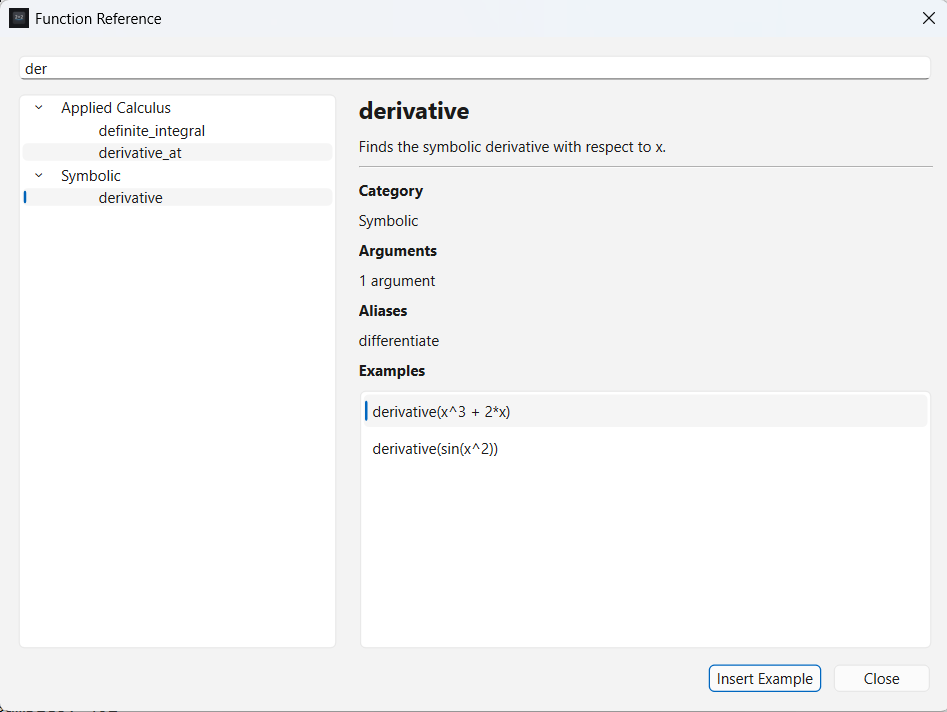
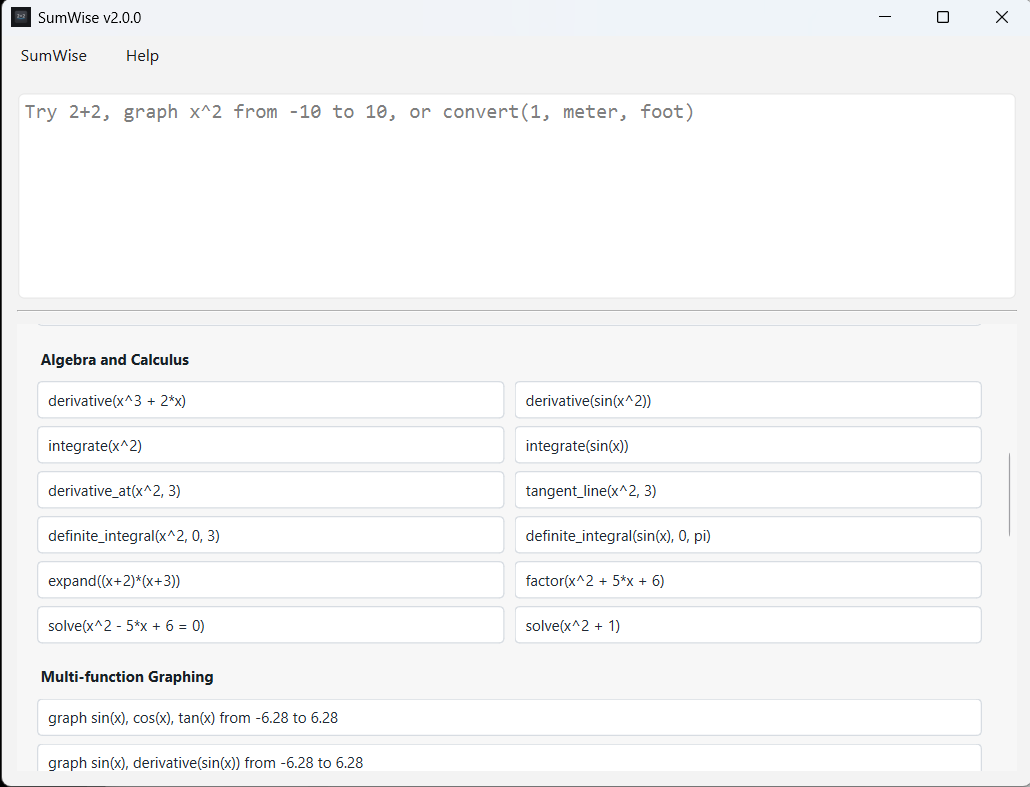
Use expand(...), simplify(...), improved factor(...), and stronger polynomial roots(...) and solve(...) support.
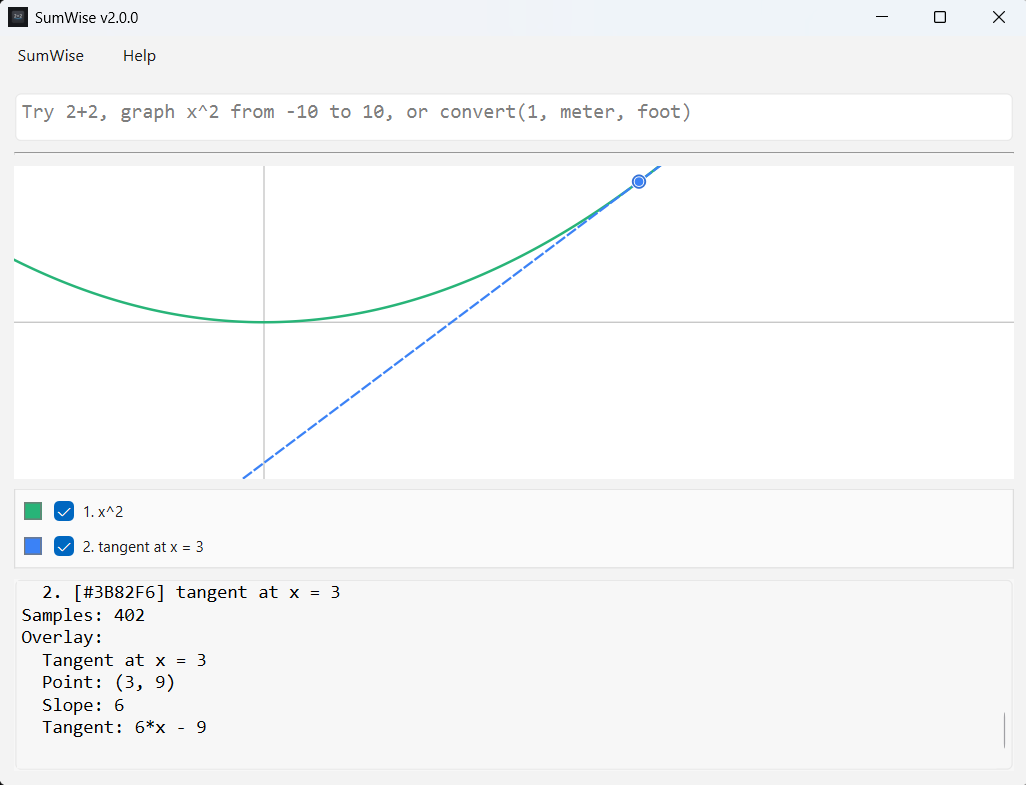
Explore supported polynomial cases with tangent_line(...), definite_integral(...), critical_points(...), and extrema(...).
Use fraction(...), mixed(...), approx_fraction(...), and approx_mixed(...), with Exact and Mixed secondary results where useful.
Copy the primary result, Exact form, or Mixed form when available, and reuse or copy prior history entries from the output history.
Common mistakes now get clearer suggestions, such as pointing decimal fraction requests toward the approximate fraction helpers.
Use unit-aware conversion results and natural conversion input such as 100km/h to mph, signed values, decimals, and familiar spaced forms.
Outcomes first
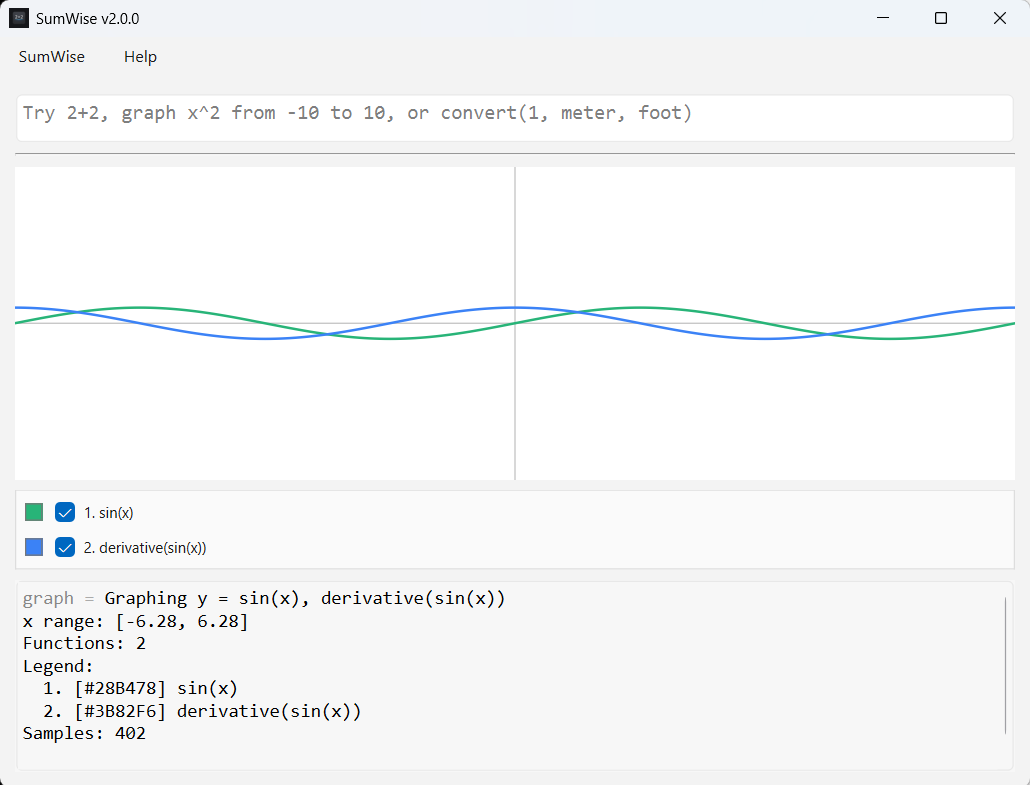
Graph functions, derivatives, tangent lines, shaded areas, roots, and extrema.
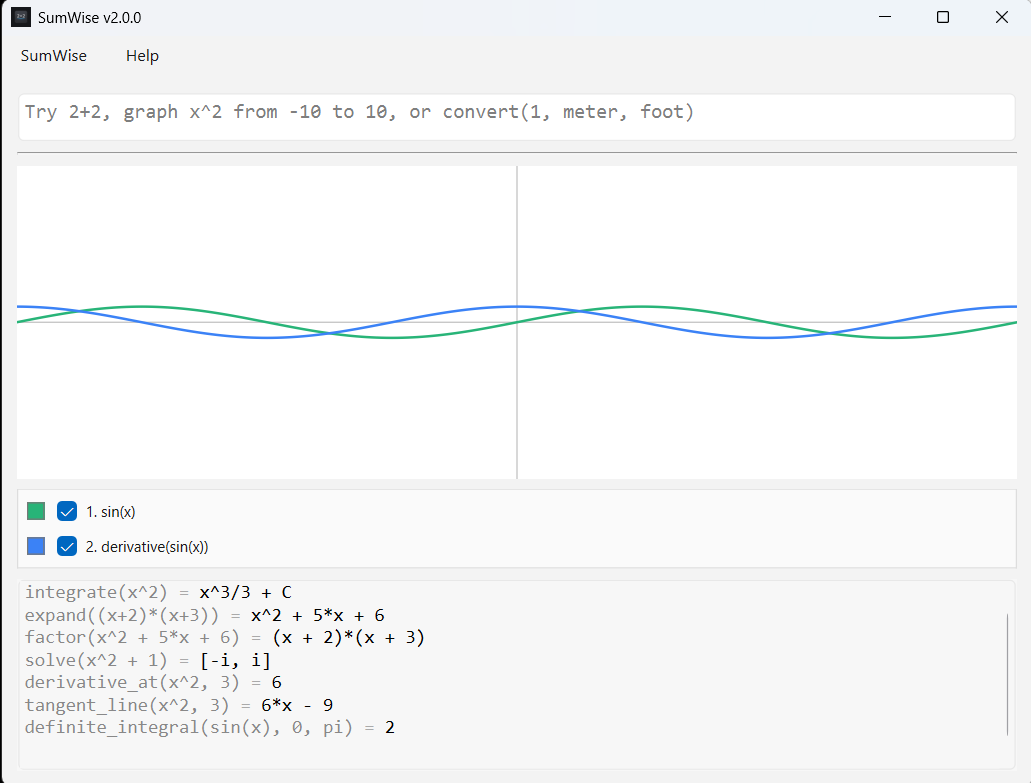
Differentiate, integrate, factor, solve, and work through supported algebra and calculus expressions.
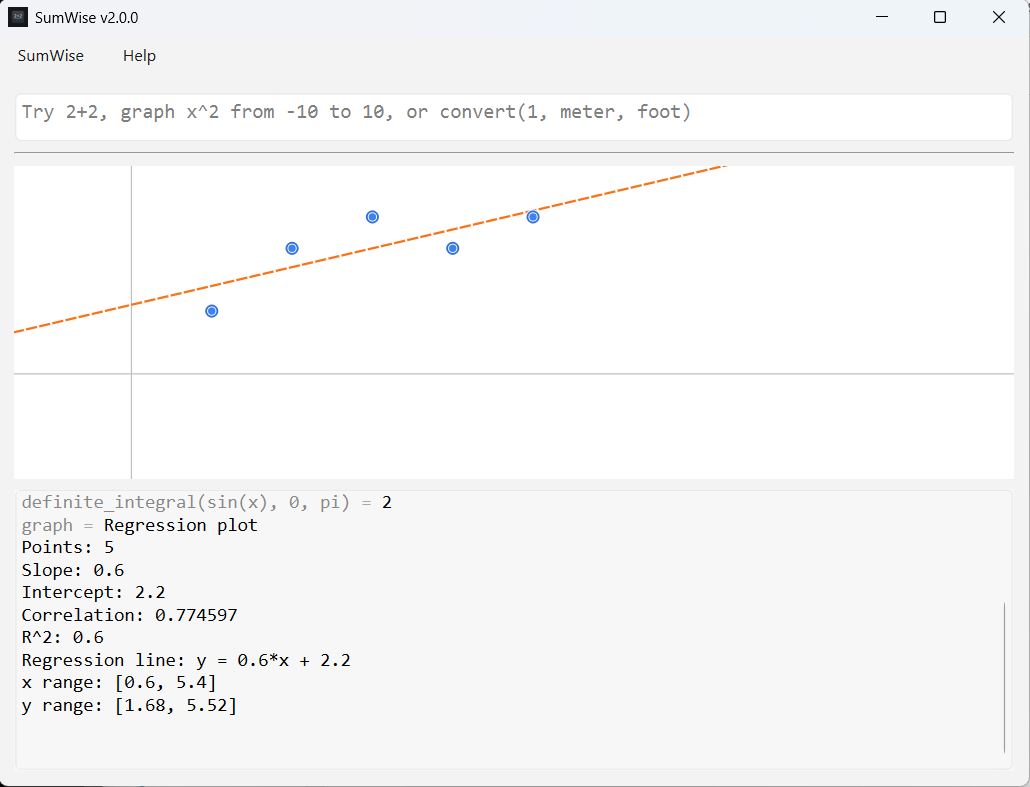
Use vectors, statistics, scatter plots, regression lines, correlation, and R-squared.
Keep a focused desktop computation workspace available without depending on browser tools.
Bring scientific calculation, graphing, symbolic math, statistics, units, constants, matrices, and vectors into one workspace.
Who it is for
Practice algebra, calculus, graphing, statistics, matrices, vectors, and scientific calculations in one place.
Use graphing, matrices, vectors, constants, unit conversion, and scientific calculations in a focused Windows tool.
Demonstrate derivatives, tangent lines, shaded integrals, roots, extrema, and regression visually.
Run exploratory calculations with constants, units, graphing, regression, and symbolic tools.
Keep a capable offline computation workspace available without switching between multiple websites and calculators.
Product screenshots
Feature set
Evaluate arithmetic, variables, constants, complex numbers, and scientific expressions in a focused Windows desktop app.
Use SumWise as a graphing calculator desktop app with multiple functions, zoom, pan, reset, legends, and visibility controls.
Differentiate, integrate, expand, simplify, factor, solve, and work through supported algebra and introductory calculus expressions.
Explore graph overlays plus supported polynomial helpers for tangent lines, definite integrals, critical points, and extrema.
Run descriptive statistics, paired-vector regression, scatter plots, regression lines, correlation, and R-squared calculations.
Use matrix and vector values for calculations, symbolic results, and statistics inputs.
Convert common length, area, volume, speed, temperature, mass, pressure, energy, power, time, and data units directly inside calculations.
Use built-in mathematical, physical, and astronomy constants such as pi, c, G, earth_mass, and solar_mass.
Trust
Built because
SumWise was created to make advanced mathematics approachable without sacrificing the tools experienced users expect.
Roadmap
Get SumWise
SumWise 2.2 is $24.99 for the Windows desktop release. Install through the Microsoft Store, or use Gumroad as the alternative direct-download purchase option.
SumWise is available through Microsoft Store and Gumroad. Direct-download ZIP builds may show a Windows warning because they are not code-signed yet. Only download SumWise from Avery's official site, the Microsoft Store listing, or the Gumroad page. The release process also generates a SHA256 checksum for ZIP verification.
For purchase and download help, use the support options provided by the Store or Gumroad.
Release notes
New expand(...) and simplify(...) helpers, improved factoring, and stronger scoped polynomial roots and solve workflows.
Polynomial visual calculus helpers, Exact/Mixed result display, copy controls, history reuse, and helpful error suggestions.
Read the full SumWise 2.2.0 release notes for scope, cautions, and what changed.
More information
Known limitations
FAQ
No. SumWise 2.2 is $24.99 for the Windows desktop release. It is available through Microsoft Store, with Gumroad kept as an alternative direct-download purchase option.
SumWise 2.2 is currently a Windows desktop release. Android is in active development, iPhone is planned, and a physical SumWise calculator is a long-term vision.
SumWise includes scoped symbolic math for differentiation, integration, factoring, and solving. It is not claiming complete symbolic algebra coverage yet.
It already covers many scientific, graphing, symbolic, and statistics workflows. It is not an exam-certified handheld calculator.
The Gumroad direct-download ZIP build is not code-signed yet, so Windows may show a warning. The Microsoft Store version is available as the primary install path.
Android development, iPhone planning, direct-download code signing, installer work, persistent favorites, saved graph sessions, richer data workflows, and broader symbolic math coverage are future roadmap items.